AI UGC & VIDEO CAPTIONING
Create UGC People Actually Want to Watch.And Make Every Word Easy to Follow.
Turn your ideas, products, and reference media into creator-style UGC, then add on-video captions built for how people actually watch social content.
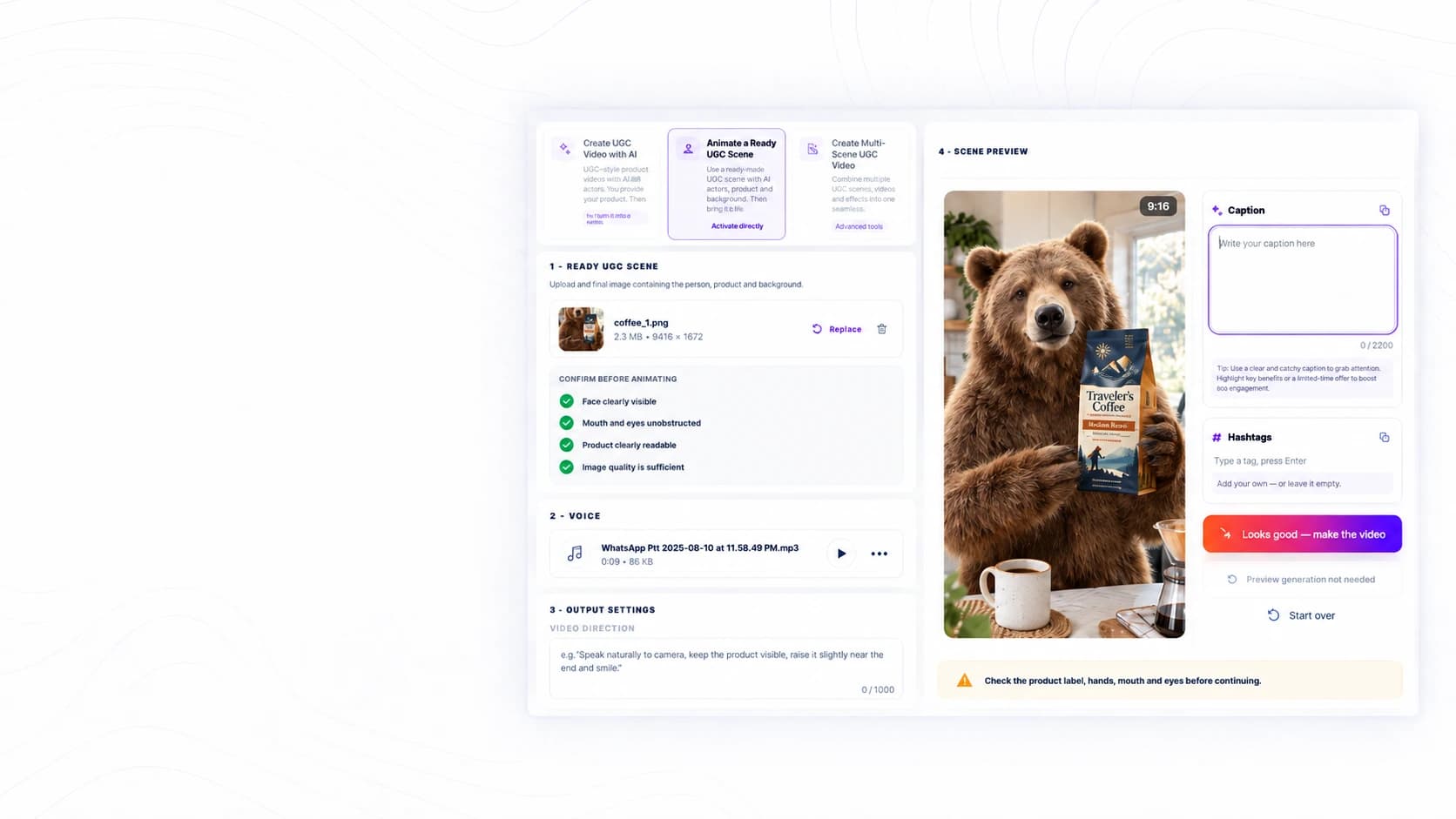
START YOUR WAY
Have an Idea? Start There. Have a Reference? Use It.
Describe what you want to create, or bring in an image when you already have a visual direction in mind. Use the reference to give the generation more context instead of trying to explain everything from scratch.
You don’t need the perfect prompt to get started.
Start Creating →VIDEO CAPTIONING
Make Your UGC Easier to Follow With On-Video Captions.
Add readable captions directly to your UGC video so people can follow the message even when they watch without sound. Keep spoken content visible on screen and make the final video easier to understand.
What gets said matters. Captions make sure it gets seen.
Add Video Captions →UGC DIRECTIONS
One Product. More Than One Way to Tell the Story.
Explore different creative directions depending on what the content needs to do—build trust, explain a problem, show the product in action, or place it naturally inside a story.
The product can stay the same while the creative angle changes completely.
Explore UGC Directions →CAPTION STYLES
Make Your Captions Match the Way You Create.
Choose from different caption treatments depending on the tone of the video. Keep it clean, bold, colorful, highlighted, or creator-style while making the message easier to follow.
Same message. Different visual impact.
Explore Caption Styles →Create Your UGC. Add Video Captions. Keep Moving.
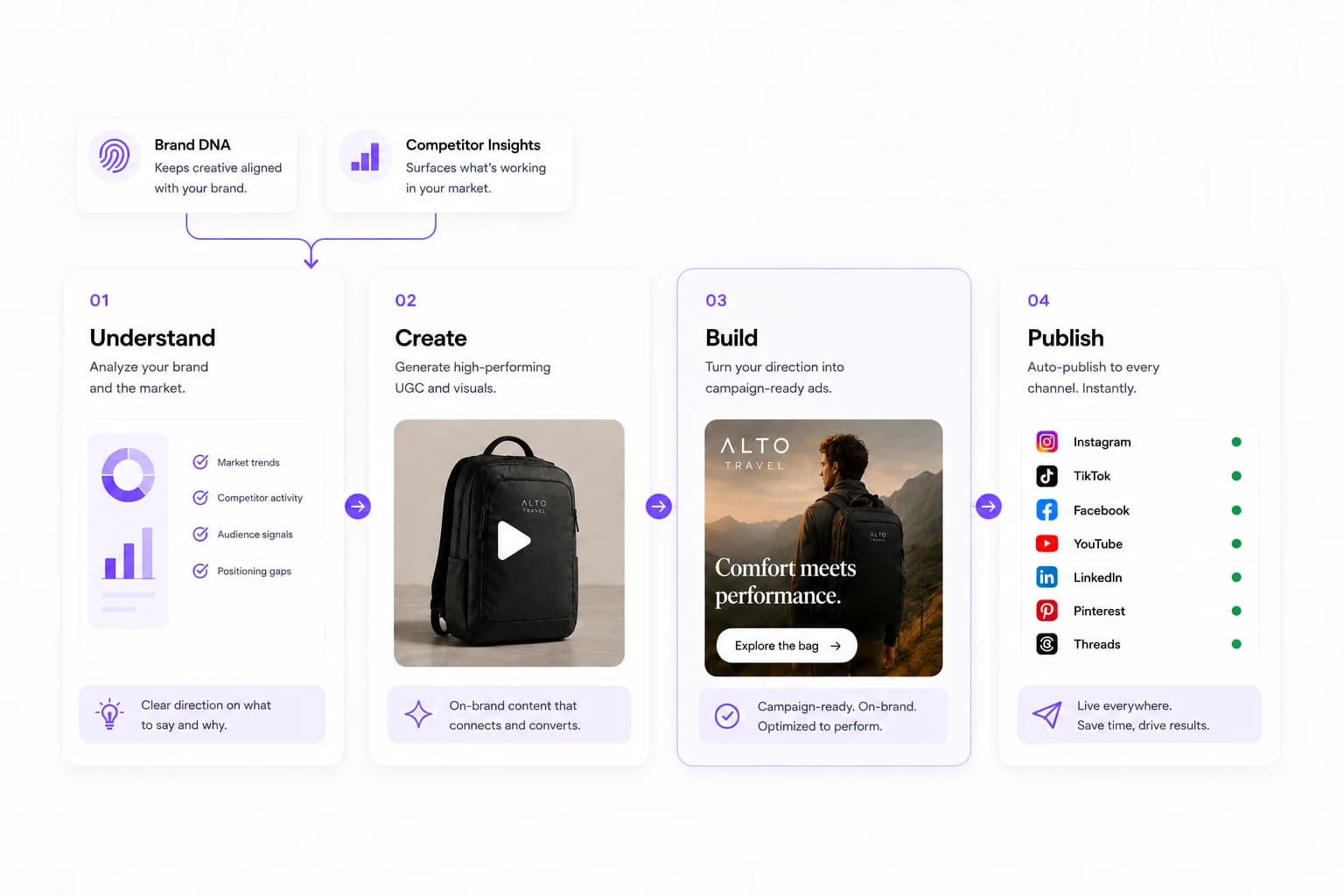
Create your UGC, add readable on-video captions, and move the finished video into your publishing workflow without bouncing between disconnected tools.
Real Feedback From Early Users.
“I joined The Post Engine as a beta tester and the experience has been very positive. The platform already feels polished, and support has been extremely responsive whenever I've had a question.”“Unlimited scheduling is one of the biggest advantages for me. I can plan and publish as much content as I need without constantly thinking about post limits.”“The UGC videos surprised me the most. The quality feels much more natural than I expected from AI-generated content, and the results are good enough to use in real campaigns.”“For everything that's included, the value is hard to beat. Content creation, UGC, competitor insights and unlimited publishing would normally mean paying for several different tools.”“What I like most is having the whole workflow connected. I can understand what's working, create new content and publish it without jumping between different tools.”“Managing several social channels used to feel fragmented. Being able to schedule and publish across my main platforms from one place makes the whole process much easier.”“The content creation tools are much more useful than a basic AI generator. I can create different types of content and keep everything connected to the rest of my marketing workflow.”“The competitor analysis gives me a much better starting point for content. Instead of guessing what to create, I can see patterns and opportunities before deciding what to post.”“There are a lot of features, but the platform still feels straightforward. I understood the workflow quickly without having to spend days learning the tool.”“I've been using The Post Engine during beta and the pace of improvement has been impressive. Feedback is taken seriously, and you can actually see the product getting better.”FREQUENTLY ASKED QUESTIONS
Questions About AI UGC & Video Captions?
See how UGC creation, references, on-video captions, and publishing work together inside The Post Engine.
Do I need to film myself to create UGC?
No. You can create UGC-style content without recording a traditional shoot yourself. The creation workflow lets you build the scenes and direction inside The Post Engine.
Can I use an image as a reference?
Yes. If you already have a product image, visual reference, or creative direction you want to build from, you can use it as context for the generation.
Can I create more than one scene in a UGC video?
Yes. UGC can be built as a sequence of scenes so the video can move from an opening hook into the product, story, demonstration, or closing message.
Can I add on-video captions after the UGC video is created?
Yes. You can add readable captions directly to the finished UGC so spoken content stays visible on screen, including when viewers watch without sound.
Can I choose different caption styles?
Yes. You can choose from different visual caption treatments, including clean, bold, highlighted, minimal, creator-style, karaoke, bubble, editorial, and marker-inspired styles.
Can I publish after creating the UGC and adding video captions?
Yes. The connected workflow lets you move from UGC creation and on-video captioning into your publishing process without rebuilding the content in another tool.