A Publer alternative for teams that create the posts they schedule
Publer helps users schedule prepared posts and adjust the subscription by account and team size. The Post Engine combines publishing with brand research and production of social and video assets. 21
14 days free for first-time subscribers. Card required. Then $15 USD/month automatically unless you cancel before the trial ends.
The Post Engine vs. Publer at a glance
The Post Engine
The Post Engine can fit a team that needs research, editing, product imagery, or video before a post is ready. Launch includes a set number of connected accounts and separates AI spend from publishing.
Feature comparison
Scroll the table to see both tools.
| Feature | The Post Engine | Publer |
|---|---|---|
| Scheduling and publishing | Every subscription includes unlimited scheduling and publishing, subject to the publishing fair-use policy and supported formats. See the fair-use policy. | Free holds 10 scheduled posts per account at a time. Professional adds unlimited scheduling, bulk scheduling, and support for X. 2 |
| Supported publishing networks | Instagram, Facebook, TikTok, YouTube, Pinterest, LinkedIn, and Threads. Account types and post formats vary by network. | Supports channels such as Instagram, Facebook, TikTok, LinkedIn, Threads, Pinterest, YouTube, Telegram, and Bluesky. Some posts, such as those to Facebook Groups, use reminders. 31 |
| Connected account limits | Launch includes 3 connected accounts total. Growth includes 10. | Free includes up to three accounts, excluding X. On paid plans, add accounts or members to the pricing calculator. 21 |
| AI social content creation | Create and revise social posts and visuals in AI Content Studio. Launch uses pay-as-you-go credits. Growth and Scale include monthly allowances. | Business lists unlimited AI Assist prompts. Publer also documents post customization and photo editing on Free. 2 |
| Editing and approvals | Preview and edit a draft, then approve it for scheduling in the post workflow. | Free offers post previews and per-network customization. Professional adds unlimited drafts. 2 |
| Social reporting | View social performance where supported and use available performance data in Brand Intelligence reports. | Business adds advanced analytics and downloadable reports. 2 |
Pricing comparison
US public prices before tax. Equivalent monthly rates under annual billing are shown separately.
Scroll the table to see both plans.
| Billing detail | The Post Engine Launch | Publer Professional |
|---|---|---|
| Monthly billing (USD) | $15 per subscription | From $5 per month for one social account and one user. Business starts at $10 for the same setup. 2 |
| Annual billing (USD) | Public subscription pricing is monthly. | Yearly billing is 20% below the corresponding monthly price, per the provider. Configure the total with your account and member counts. 21 |
| Accounts and included usage | 3 connected social accounts, with manual creation, editing, and publishing. AI services are paid separately on Launch. | The owner is included. Adding accounts or team members changes the quote. Publer lists unlimited AI Assist prompts on Business. 2 |
| Free plan or trial | 14 days free for first-time subscribers. Card required. Then $15 USD/month automatically unless you cancel before the trial ends. | Free with up to three accounts, excluding X. Professional has a seven-day trial and Business has a 14-day trial. 2 |
How the workflows differ
Load a batch of prepared posts
In Publer Professional, organize client accounts in workspaces, bulk schedule the content, and adjust each post for its network. In The Post Engine, start with a brand brief and make the missing creative first. 2
Review the scheduled output
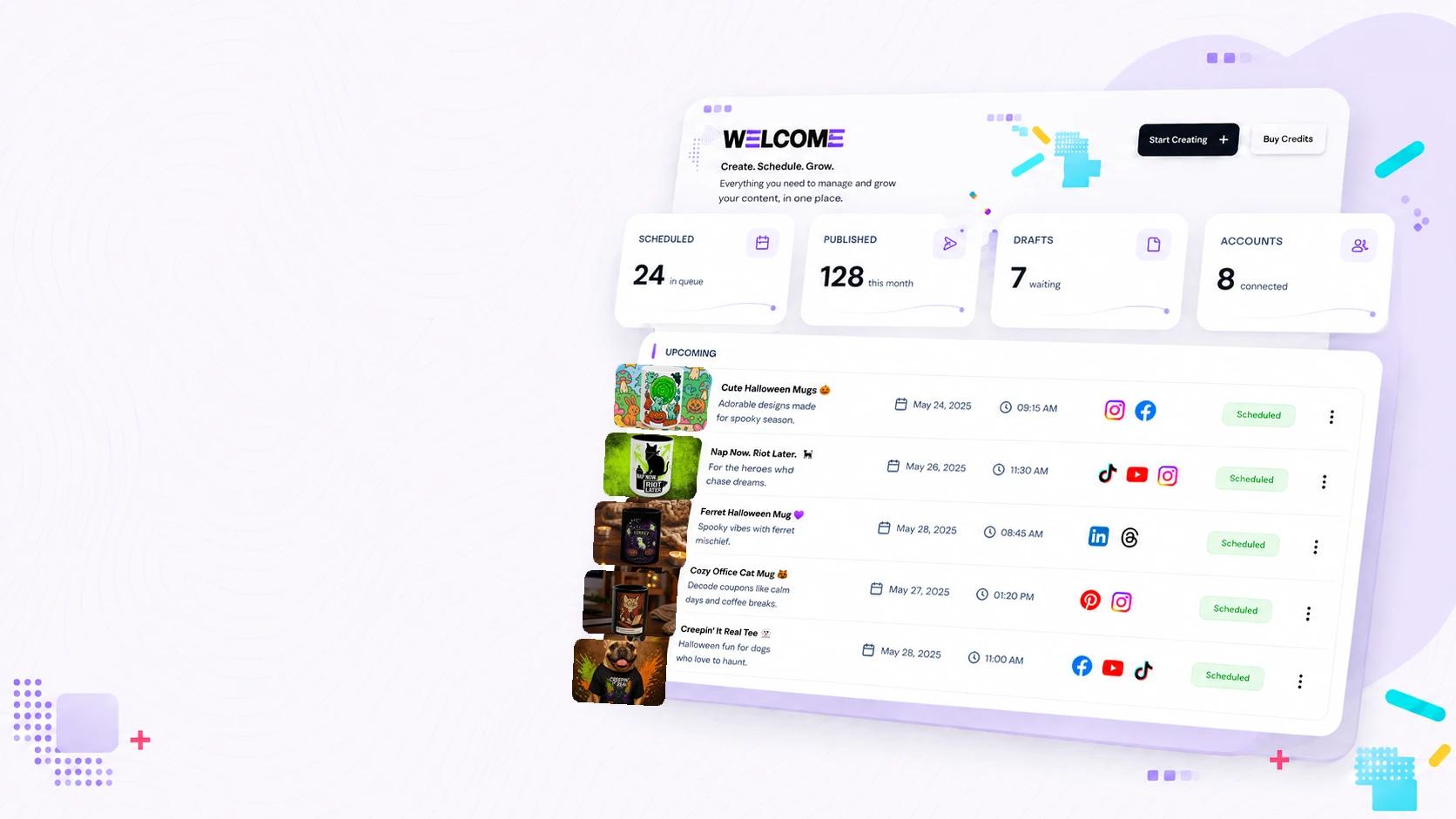
Publer lets you preview posts before scheduling and download analytics on Business. The Post Engine supports preview, edits, and approval before publication, plus supported social metrics and brand analysis. 2
Strengths and limitations
The Post Engine publishes this comparison and sells one of the products covered.
Where Publer fits
Choose Publer if bulk scheduling, RSS automation, or Telegram is central to your work. Price the actual number of accounts and collaborators. 23
Where The Post Engine fits
Choose The Post Engine if every batch needs new product photography, ad variations, or UGC-style video. If your creative arrives ready, Publer Professional’s bulk tools may suit the job. 2
Who each tool suits
Freelancers with one active profile
Publer Professional offers a one-account entry price, and Free may cover a small queue if you do not need X. 2
Small teams handling asset production
The Post Engine may be useful when preparing the visual takes more time than scheduling the finished post. Publer Business is worth checking when downloadable analytics drive the choice. 2
Frequently asked questions
Does one Publer subscription cover multiple client workspaces?
Paid plans support unlimited workspaces. The quote still depends on the total connected accounts and additional members. 2
Does Publer Free support X?
No. Publer documents X support starting on Professional. 2
Which Publer plan should I compare for bulk scheduling?
Professional includes bulk scheduling. Compare Business if you also need advanced or downloadable analytics. 2
Sources and methodology
We reviewed Publer’s public pricing and documentation for the US market. The comparison describes documented capabilities. We did not conduct hands-on competitor testing. We selected dimensions relevant to this workflow and show billing units, plan restrictions, and extra charges where documented.
- Publer pricing calculator and plan matrix · Verified
- Publer help on pricing, billing units, and features · Verified
- Publer supported social networks · Verified
Related comparisons and resources
Try The Post Engine on your next campaign
Draft, review, and schedule a post with Launch. Add AI services when you need them.
14 days free for first-time subscribers. Card required. Then $15 USD/month automatically unless you cancel before the trial ends.