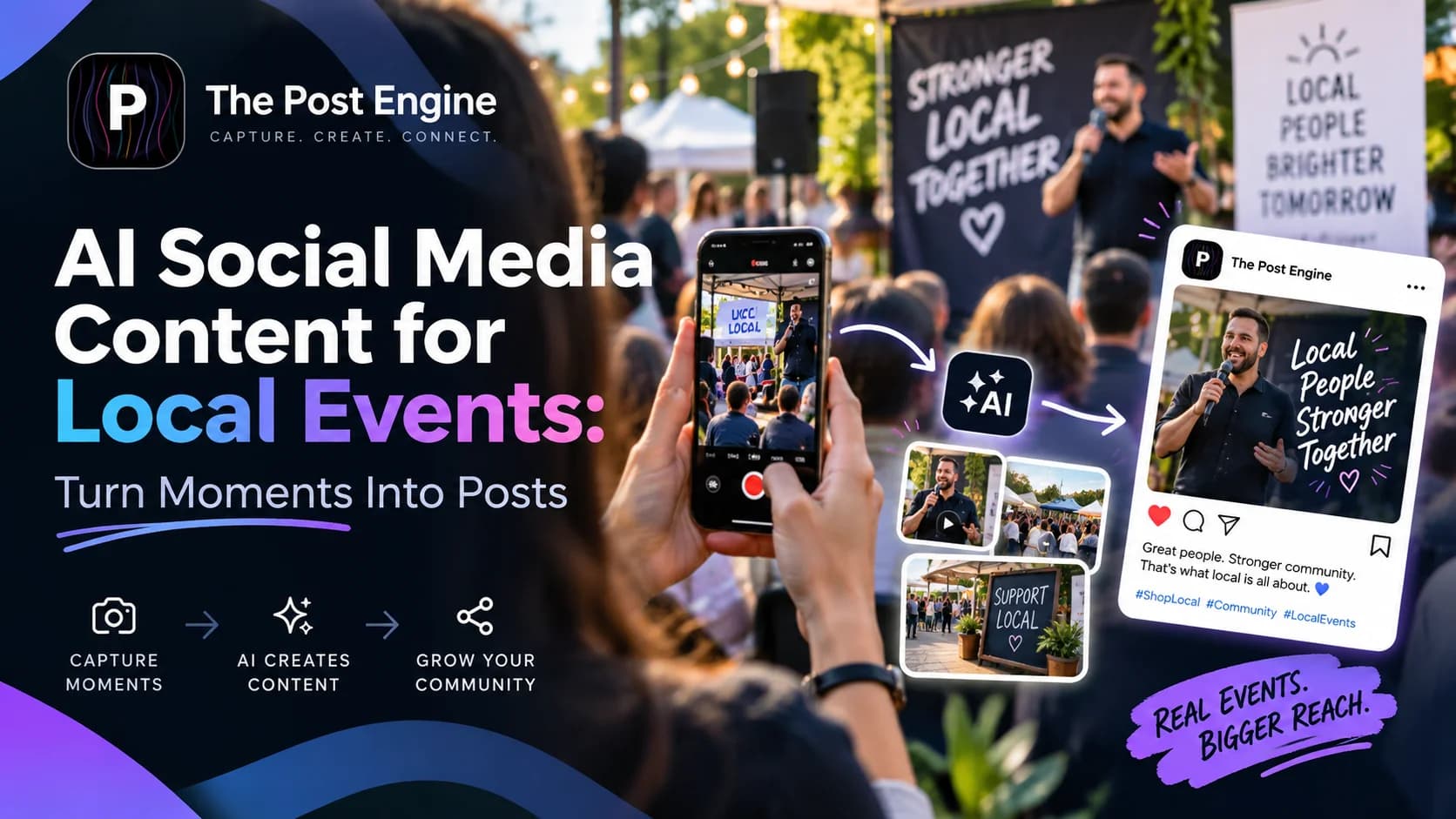
Let’s discover and learn how to turn local event moments, photos, attendee reactions, and behind-the-scenes footage into engaging AI social media content before, during, and after your event.
A local event can give you hours of content.
The problem is that most of those moments happen once.
A speaker says something memorable.
A crowd reacts to a performance.
A customer visits your booth.
A local business owner gives an interview.
Someone takes an amazing photo.
By the next day, those moments are already gone.
AI can help turn those real-world moments into social content faster, but the strongest strategy starts with the moment itself, not with AI.
Eventbrite's 2026 Social Study found that 79% of 18–35-year-olds planned to attend more events in 2026, while nearly half said they wanted experiences that feel less curated and more real. Eventbrite — Reset to Real: How Gen Z and Millennials Are Redefining Live Experiences
That creates an important opportunity for local brands:
Don't just promote the event. Turn the event itself into your content.
Why Local Events Are a Content Goldmine
An event gives you something that regular product content often doesn't:
Real people. Real reactions. Real places. Real moments.
That makes event content naturally different from polished promotional graphics.
A local food festival can generate:
Food photos
Vendor interviews
Customer reactions
Behind-the-scenes videos
Crowd moments
Event highlights
A business conference can generate:
Speaker quotes
Audience questions
Networking moments
Key lessons
Short interviews
Recap content
Eventbrite's current event-marketing guidance recommends using a mix of promotional content, live content, attendee sharing, short-form video, and post-event content rather than relying on a single announcement. Eventbrite — Event Marketing: Strategies to Promote Events Successfully
The important mindset shift is:
The event isn't one piece of content. It's the source of many pieces of content.
Capture Moments Before They Disappear
The best event content is often created during the moment.
So don't wait until the event is finished to think about content.
Create a simple capture list before the event starts.
Before the event
Capture:
Venue setup
Decorations
Products or booths
Staff preparing
Speaker arrival
Behind-the-scenes details
During the event
Capture:
Crowd reactions
Performances
Speaker highlights
Product demonstrations
Customer interactions
Interesting details
After the event
Capture:
Final crowd moments
Team reactions
Venue atmosphere
Customer feedback
Best photos and videos
This gives you a library of raw material that AI can later transform into different content formats.
[IMAGE 2 — EVENT CONTENT CAPTURE]
Turn One Event Moment Into Multiple Posts
The biggest mistake is posting a photo once and moving on.
One strong event moment can become several pieces of content.
For example:
Moment: A speaker gives a powerful quote.
Turn it into:
Post: Speaker quote graphic
Reel: Short speaker clip
Story: “Do you agree?” poll
Carousel: 3 lessons from the talk
LinkedIn post: Key business insight
Or:
Moment: A customer tries your product.
Turn it into:
Story: Customer reaction
Reel: Product experience
Post: Customer quote
Carousel: Product benefits
Follow-up post: “What attendees thought”
This is where content repurposing becomes especially valuable.
Adobe Express — How to Repurpose Content for Social Media
The goal is not to publish the same asset everywhere.
It is to find different stories inside the same moment.
Use Attendee Content as Social Proof
Your team isn't the only source of event content.
Your attendees are creating it too.
Photos.
Videos.
Reviews.
Stories.
Reactions.
Comments.
And attendee content can feel more authentic than brand-created material.
The 2026 Event Engagement Index from Walls.io found that 67% of attendees said they were very likely to create and share content during events, while nearly 60% said they trusted fellow attendees' content most when forming impressions about an event. Walls.io — 2026 Event Engagement Index
That makes attendee-generated content valuable for:
Social proof
Recaps
Testimonials
Future event promotion
Community building
You can encourage it with a simple prompt:
“Share your favorite moment and tag us.”
Or create an event-specific hashtag.
Walls.io's 2026 research found that 40% of surveyed event experts identified branded hashtags as an effective way to encourage attendee-generated content. Walls.io — Events Statistics: UGC and Event Engagement
IMAGE 3 — ATTENDEE CONTENT
Create Real-Time Content During the Event
Don't make every event post after the event is over.
Real-time content creates the feeling that people are there with you.
For example:
Story 1: “We're getting ready.”
Story 2: Venue reveal
Story 3: Speaker begins
Story 4: Crowd reaction
Story 5: Quick poll
Story 6: “What should we show next?”
Story 7: Behind-the-scenes moment
This can create FOMO for people who aren't there and give attendees a reason to share your content.
Eventbrite's social event marketing guidance specifically recommends live video, relatable content, attendee sharing, and real-time strategies for building event engagement. Eventbrite — Social Media Event Marketing: Expert Advice Beyond the Basics
Meta also describes Stories as immersive, vertical, full-screen content designed for quick photo and video consumption. Meta for Business — Stories Ads
Best combination:
Real moment + quick context + interaction
Turn Event Highlights Into Short-Form Video
Events naturally contain moments that work well as short videos.
Look for:
Surprising reactions
Funny moments
Speaker soundbites
Product demonstrations
Crowd energy
Before-and-after venue shots
Quick interviews
Then build short videos around one moment.
For example:
15-Second Event Reel
0–2 sec: Hook
“This happened at our event…”
2–8 sec: Best moment
8–12 sec: Reaction or context
12–15 sec: CTA
“Join us next time.”
Eventbrite's latest event-social guidance recommends Reels and Stories for behind-the-scenes content, countdowns, and episodic content that keeps audiences returning. Eventbrite — Advanced Social Media Marketing Strategies for Music and Performing Arts Events
IMAGE 4 — EVENT REEL
Continue the Story After the Event
The event ending doesn't mean the content ends.
In fact, post-event content can help you extend the value of the event and promote the next one.
Create:
Best moments recap
Photo carousel
Customer reactions
Speaker highlights
Thank-you post
Behind-the-scenes recap
“What you missed” Reel
Next-event teaser
This matters because attendees don't stop talking about the event immediately after leaving.
Cvent's 2026 event statistics report cites research showing substantial post-event sharing, including 72% of CPG event attendees and 61% of technology event attendees sharing brand content after an event in the referenced study. Cvent — Event Statistics Shaping the Industry in 2026
A simple post-event sequence could be:
Day 1: Thank you
Day 2: Best moments
Day 3: Customer reaction
Day 4: Speaker takeaway
Day 5: Next-event teaser
IMAGE 5 — POST-EVENT CONTENT
Use AI to Turn Raw Moments Into Content
This is where AI can reduce the workload.
Start with raw material:
Photos
Video clips
Speaker notes
Quotes
Customer comments
Event description
Then use AI to identify possible content angles.
For example:
Raw material: 30-second speaker clip
Possible outputs:
Short Reel
Quote graphic
Story poll
LinkedIn post
Key takeaway carousel
Or:
Raw material: Customer interview
Possible outputs:
Testimonial post
Short video
Quote Story
Customer spotlight
The important part is to use AI to organize and transform real moments, not invent moments that never happened.
AI should help you get from:
Raw event material → usable content
faster.
IMAGE 6 — AI EVENT CONTENT WORKFLOW
Measure Which Event Content Actually Works
Not every event moment deserves to become a recurring content format.
Look at the results.
Useful metrics include:
Reach
Views
Shares
Comments
Saves
Profile visits
Link clicks
Ticket conversions
For local events, also pay attention to where discovery happens.
A 2025 Eventbrite study found that approximately 61% of Millennials use social media to find things to do, while almost 30% of Gen Z use TikTok specifically for event discovery. Eventbrite — Social Media Event Marketing: Expert Advice Beyond the Basics
A newer 2025/2026 attendee survey from Loopyah reported that 65% of surveyed U.S. event attendees discover events through social media, compared with 38% through Google Search. Loopyah — Event Attendee Insights Report 2025/2026
These figures come from different studies with different methodologies, so they shouldn't be treated as a universal benchmark. But they point in the same direction:
Social media is an important discovery channel for live experiences.
That means your event content should be evaluated not only by likes, but also by whether it contributes to discovery, interest, attendance, and future engagement.
Create Local Event Content With The Post Engine
The biggest challenge is often not finding event moments.
It's turning them into enough quality content to keep publishing.
With The Post Engine, you can use your event photos, products, ideas, and creative assets as starting points for social content.
A simple workflow can look like:
Capture the moment
↓
Choose the story
↓
Create the social creative
↓
Adapt for the platform
↓
Add caption + CTA
↓
Schedule
↓
Measure
For example:
One speaker moment
→ Quote graphic
→ Instagram Story
→ Reel
→ LinkedIn post
Or:
One attendee photo
→ Event recap
→ Customer spotlight
→ Social proof
→ Future event promotion
This lets one real-world moment become a content asset with a longer life.
→How to Turn Your Website Into a Social Media Content Engine
IMAGE 7 — THE POST ENGINE
Frequently Asked Questions
What type of content should local events post?
Start with content that captures the experience:
Behind-the-scenes moments
Attendee reactions
Speaker highlights
Product demonstrations
Event photos
Short videos
Customer testimonials
How can AI help with event social media?
AI can help turn raw photos, videos, quotes, and event information into different social content ideas and formats.
The strongest workflow is:
Real moment → AI-assisted transformation → Human review → Publish
Should event content be posted during the event?
Yes. Real-time Stories, short videos, attendee reactions, and behind-the-scenes content can help people feel connected to the event while it is happening. Eventbrite — Social Media Event Marketing
How can I encourage attendees to create content?
Give people a simple reason and simple instructions.
For example:
“Post your favorite moment, tag @YourBrand, and use #YourEvent.”
Walls.io's 2026 event research found that branded hashtags were the most commonly cited tactic among those studied for encouraging attendee-generated content. Walls.io — Events Statistics: UGC and Event Engagement
What should I post after the event?
Create a short sequence rather than one thank-you post:
Thank you → Best moments → Attendee reaction → Key takeaway → Next event
This extends the life of the event and gives people who missed it a reason to pay attention to the next one.
Final Takeaway
A local event doesn't end when the crowd goes home.
The photos, reactions, conversations, videos, quotes, and stories can continue creating value long after the event.
One moment can become:
Photo → Reel → Story → Quote → Carousel → Future promotion
The process becomes:
Moment → Story → AI-assisted creative → Publish → Measure → Repurpose
Don't try to manufacture every piece of content.
Capture the real moments first. Then use AI to turn those moments into content people want to remember and share.